SMS Notifications
Receive a text message the moment someone submits your form.
Basin can send an SMS to your phone whenever a new submission comes in. This is useful when you need to respond quickly and aren't always watching your email inbox.
How It Works
When a new submission is received on a form with SMS notifications enabled, Basin sends an outbound text message to the phone number you configure. The message includes the form name and, optionally, key details from the submission.
SMS notifications are sent only for legitimate submissions — spam submissions are always skipped.
Setup
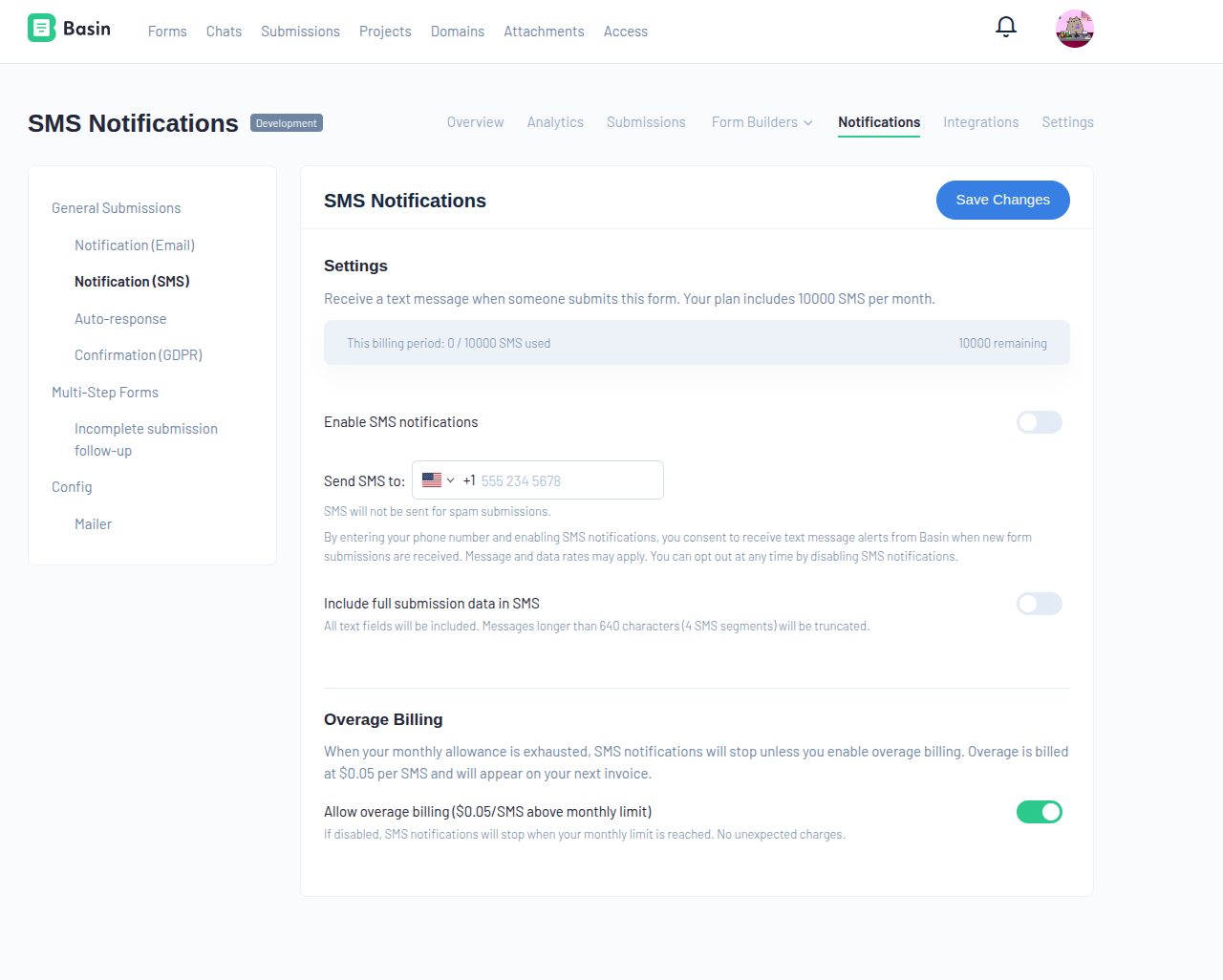
- Navigate to Forms → Your Form → Notifications → SMS.
- Toggle Enable SMS notifications on.
- Enter the phone number to send alerts to in the Send SMS to field.
- Optionally enable Include full submission data in SMS to receive all field values in the message (truncated to 612 characters / 4 SMS segments).
- Click Save Changes.
- Basin sends a text with a 6-digit verification code to confirm you own the number. Enter the code to complete setup.
Tip
Only one phone number can be configured per form. The number must be in a valid international format (e.g. +1 555 234 5678).
Moving a form to another account
SMS phone numbers don't move with a form. When a form moves to a different account, through a project transfer or the API, SMS notifications are turned off and the phone number is removed. The new owner can set them up again with their own number.
International Delivery
Basin sends SMS notifications from a US toll-free number, and delivery isn't guaranteed to every country. If you enter a phone number in a country we don't yet support, the verification text may not arrive.
If you don't receive your verification code within a few minutes:
- Double-check the number was entered correctly, including the country code.
- Try the Resend option on the SMS settings page.
- Contact Support if the code still doesn't arrive - we can look into enabling SMS delivery for your country.
Message Format
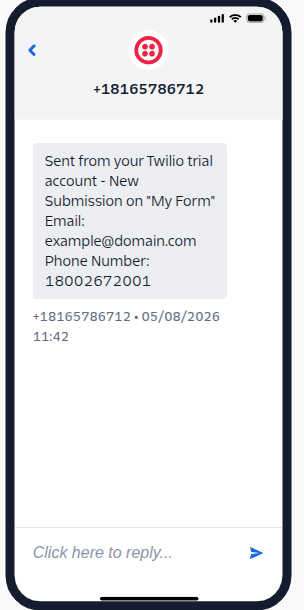
By default, each SMS includes:
- The form name (e.g. New submission on "Contact Form")
- The submitter's email address, if present
- The submitter's phone number, if present
- The page URL the form was submitted from, if available
When Include full submission data is enabled, all text fields from the submission are included instead, formatted as field: value pairs. Messages longer than 612 characters are automatically truncated.
Monthly Allowance & Overage Billing
Each plan includes a monthly SMS allowance. When your allowance is exhausted:
- Overage billing disabled (default): SMS notifications stop until your next billing period. No unexpected charges.
- Overage billing enabled: SMS notifications continue at $0.05 per SMS above your monthly limit. Overages appear on your next invoice.
You can toggle overage billing on or off at any time from the SMS settings page.
Your current usage for the billing period is displayed at the top of the SMS settings page.
Trial accounts
Trial accounts include a small SMS allowance for testing. Upgrade to a paid plan to unlock a full monthly allowance.
Consent & Opt-In
By entering a phone number and enabling SMS notifications, the account holder (you) consents to receive text message alerts from Basin when new form submissions are received.
- Sender: Basin (usebasin.com)
- Message type: Account notifications — automated alerts triggered by form submission events
- Recipient: The Basin account holder who configures the phone number
- Opt-out: Disable SMS notifications at any time by toggling the feature off on the SMS settings page, or by clearing the phone number field and saving
Message and data rates may apply.
Info
Basin SMS notifications are strictly account notifications sent to the form owner. Basin does not send marketing messages or messages to form submitters.