Custom Email Sending Domains
Verify DKIM and Return-Path records so Basin can send notification and autoresponse emails from your domain. This is separate from connecting a custom site domain to a Basin-hosted AI Site.
Pro Feature
Custom email sending domains are available on the Pro plan and above.
This setting authenticates your domain while Basin continues to deliver the message. It does not host your website, receive inbound email, or route mail through your own server. To send through your own mail server instead, configure a Custom SMTP Server.
Setup
Open the Domains tab and add your domain.
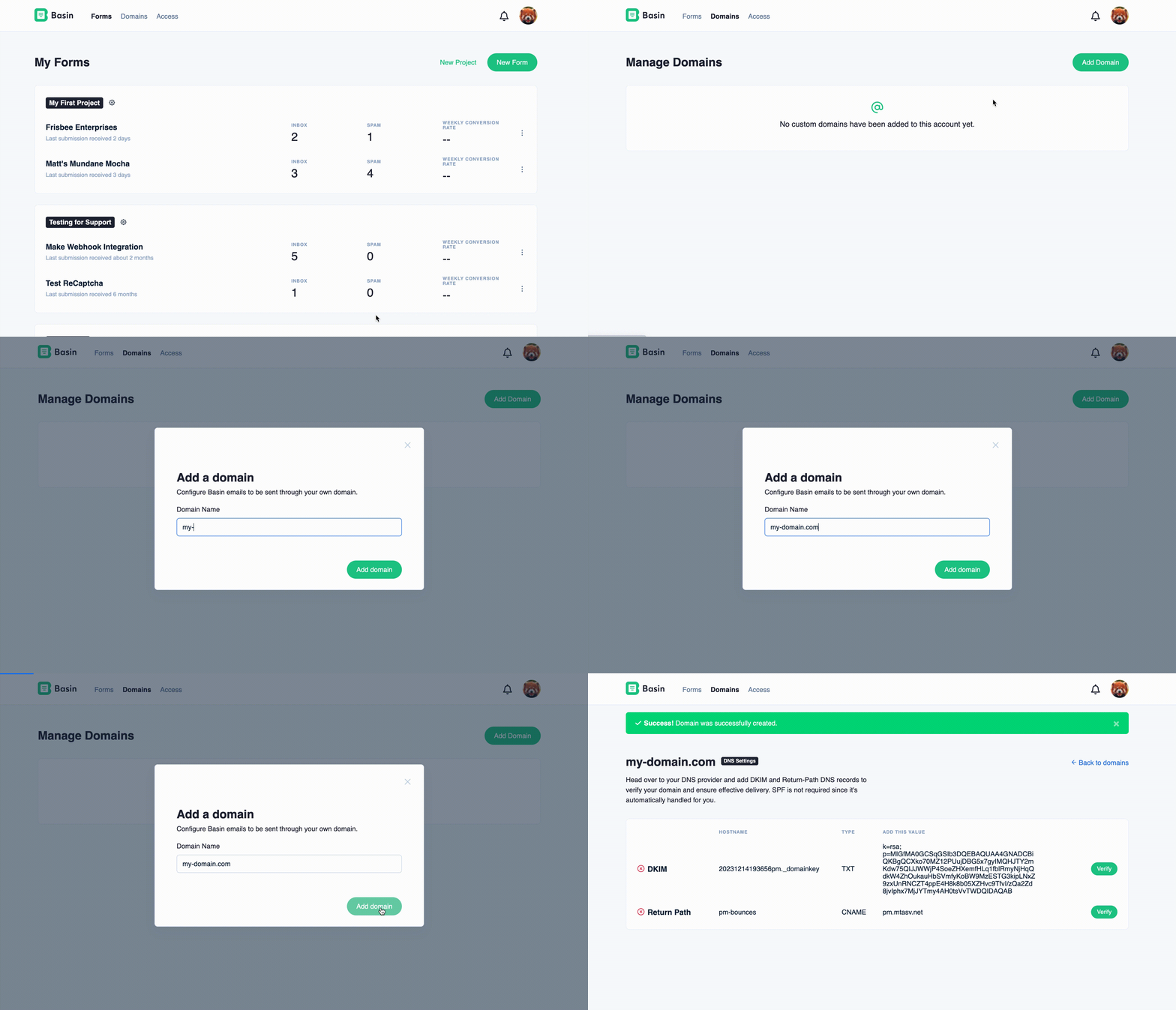
Add the provided records at your DNS provider:
- Add the DKIM values.
- Optionally add the Return-Path values. Basin handles SPF automatically.
- Return to Basin and click Verify.
Tip
Domains can take up to 30 minutes to verify.
Warning
A domain can belong to only one Basin account.
Delete a domain
After removing a domain from Basin, remove its Basin DNS records from your DNS provider.