Authentication
Simple, unique token authentication for each form endpoint.
How it works
All Basin API endpoints authenticate using an API key. The recommended approach is to pass your key in the Authorization request header. You can find your API token on the Integrations page on your form dashboard. Keep it secret — if you think it has been compromised, use the regenerate button to issue a new one.
Recommended: Authorization header
Pass your API key using the Authorization: Token scheme:
curl https://usebasin.com/api/v1/submissions?form_id={form_id}&page=1&query= \
  -H "Authorization: Token YOUR_API_KEY"
Legacy: URL parameter (deprecated)
Passing api_token as a query parameter is still supported for backwards
compatibility but is discouraged. Tokens in URLs are recorded in server
access logs, browser history, and Referer headers sent to third parties.
API Keys
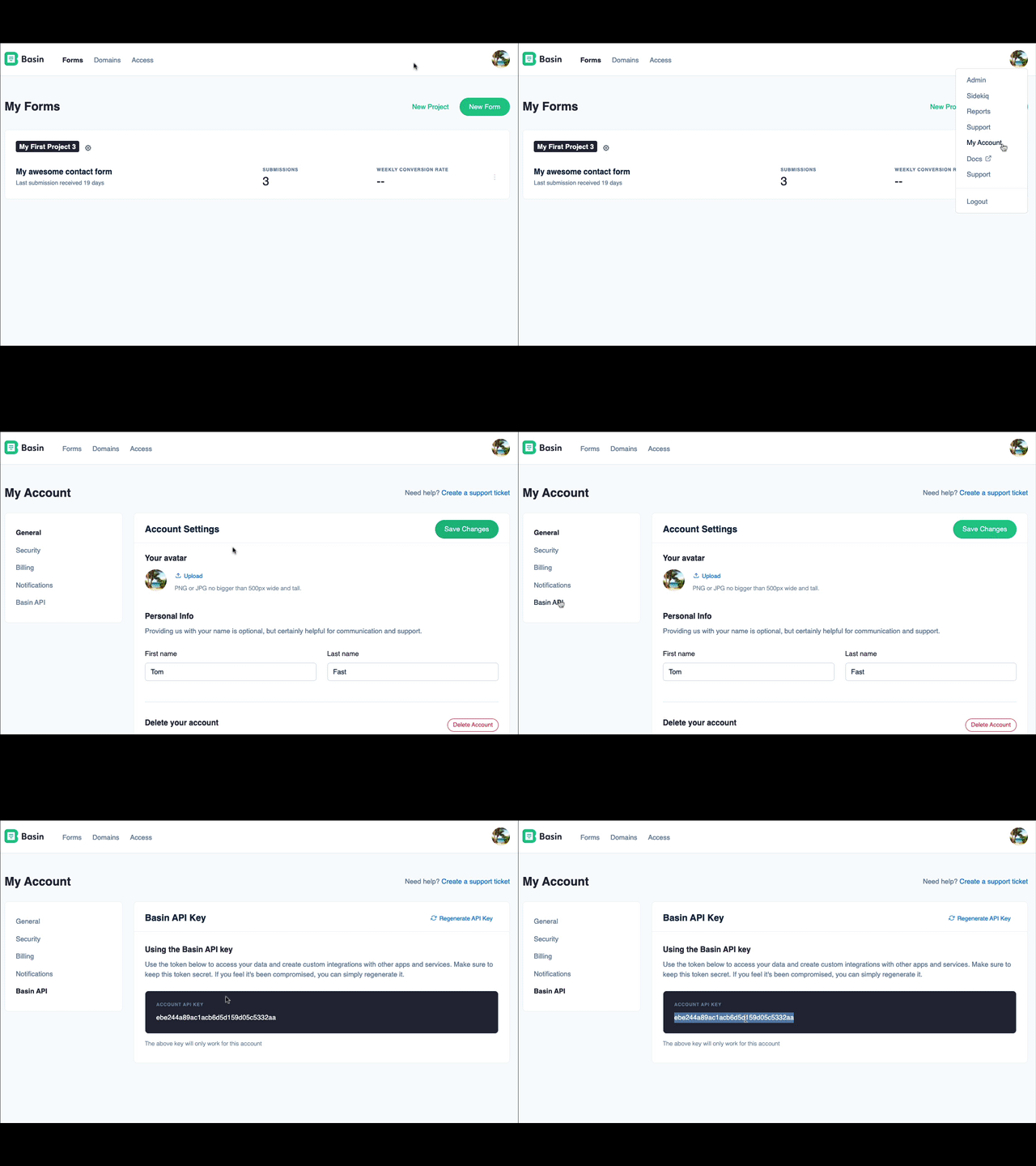
Basin supports two REST API keys: the Basin API Key and the Form API Key. Neither key connects to the AI assistant; use the separate MCP key for that.
1. Basin API Key
The Basin API key is scoped to the entire account (your user/login). This provides API access to all forms the account has access to.
Use this API for:
- Accessing all your forms and associated data (submissions)
- CRUD (create, read, update, delete) forms
- Listing domains
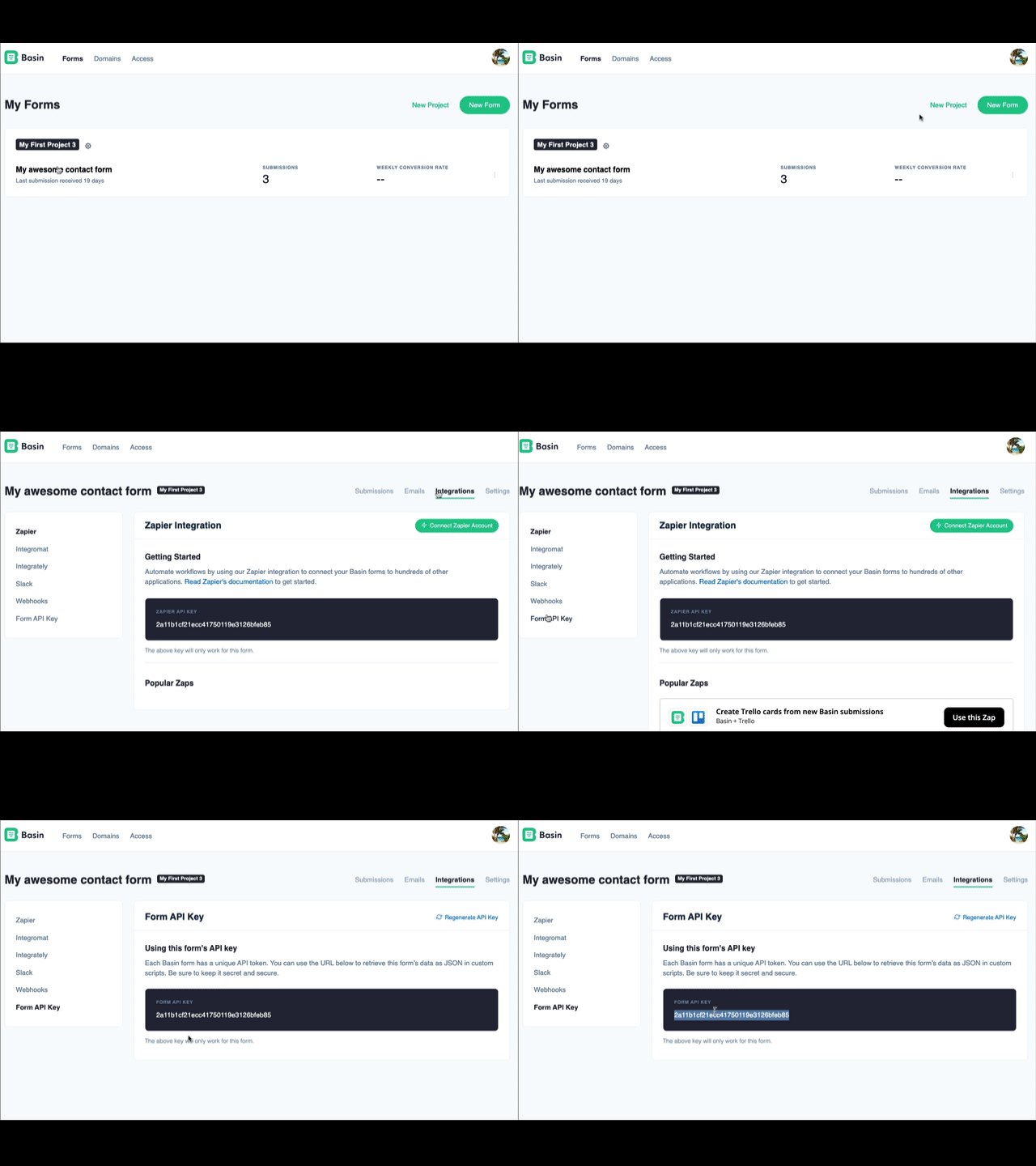
2. Form API Key
A Form API key is scoped to a specific form. Use this API key for integrations that are scoped to a specific form.
Use this API for:
- Accessing submissions for a specific form
- Form specific integrations
Success
Click here to view our API Reference