Project Transfers
Effortlessly transfer projects and forms between users
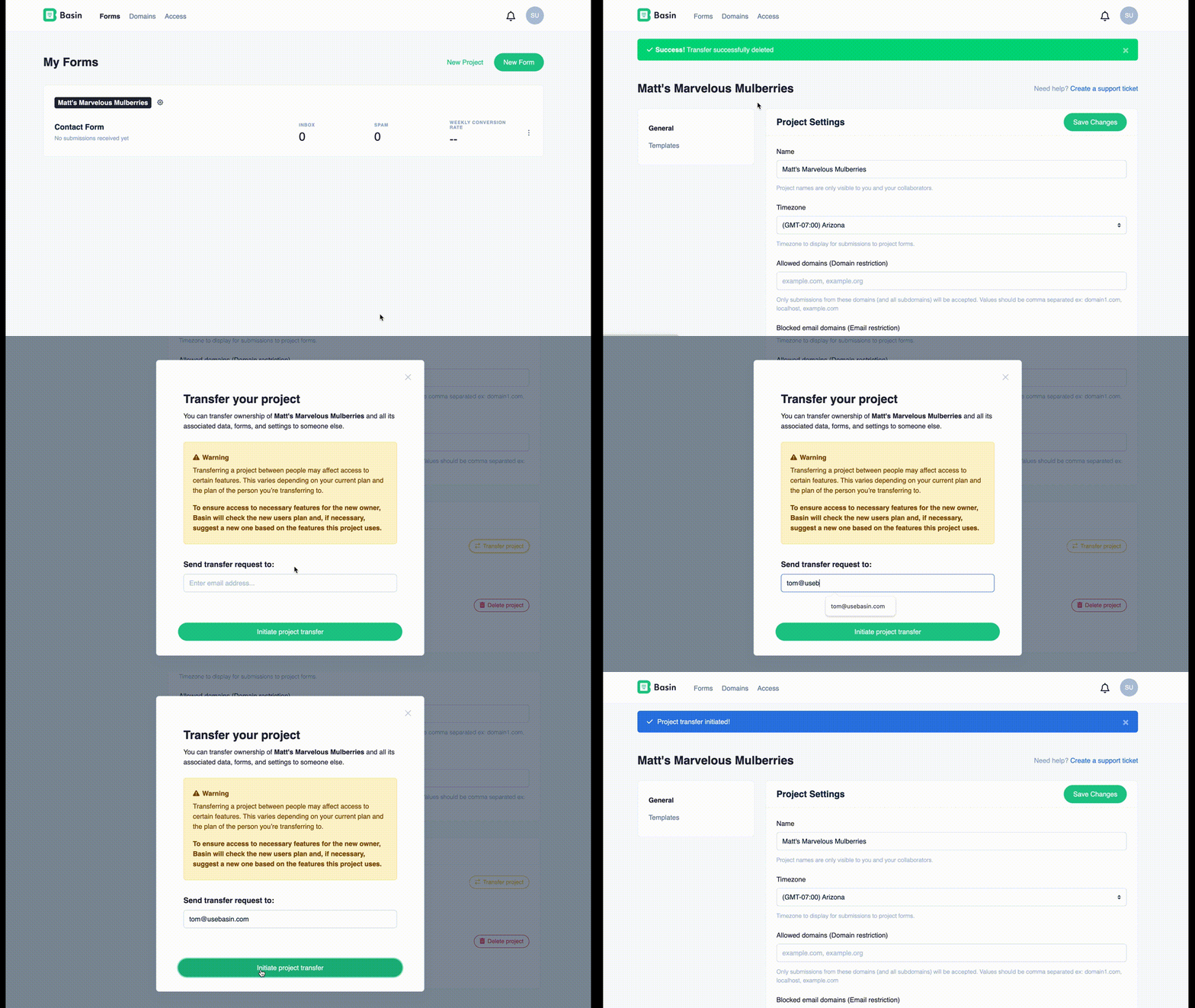
Initializing a Transfer
To transfer a project to another user, simply navigate to your project settings and click the button to 'Transfer Project'
Tip
You can initiate a transfer to any email address. If that address doesn't have an account with Basin, we'll guide them through the account creation process so they can receive their project!
Revoking a Transfer
Accidentally sent a transfer to the wrong user? No problem, the transfer will appear on your project settings page and can be revoked by clicking the
Accepting a Transfer
Got a transfer request and want to accept it? Follow the instructions on your dashboard to review the transfer details and accept! If your account allows, the previous owner will be added to this project as a collaborator. This access can be changed/removed in the 'Access' tab.
Be Aware of Account Limits
Any user can accept an incoming transfer, but the receiving account's plan limits are enforced:
- Free users are allowed 1 form, 1 project, and 0 collaborators
- Starter users are allowed 3 forms, 1 project, and 0 collaborators
Forms or projects may be disabled after transfer if the receiving account exceeds its limits. The previous owner remains a collaborator only when the receiving plan supports collaborators.
Custom email templates require Pro or Agency. Custom email sending domains are account-level settings and do not transfer with a project; the new owner must add and verify an eligible domain in their own account.
SMS notifications don't transfer either. Any form in the project that sends SMS notifications has them turned off and its phone number removed, so the new owner needs to set them up again with their own number.
We will let you know if your plan requires an upgrade prior to accepting a transfer.