Confirmation (GDPR) Emails
Send a submission receipt that tells submitters how to request access to or deletion of the data they provided through your form.
Not legal advice
Confirmation emails can support your privacy workflow, but enabling them does not make a form or business compliant with GDPR or another law. You are the data controller for information collected through your forms and remain responsible for your lawful basis, notices, consent, retention, and handling of data-subject requests. See Basin's GDPR information, Privacy Policy, and Data Processing Agreement.
Setup
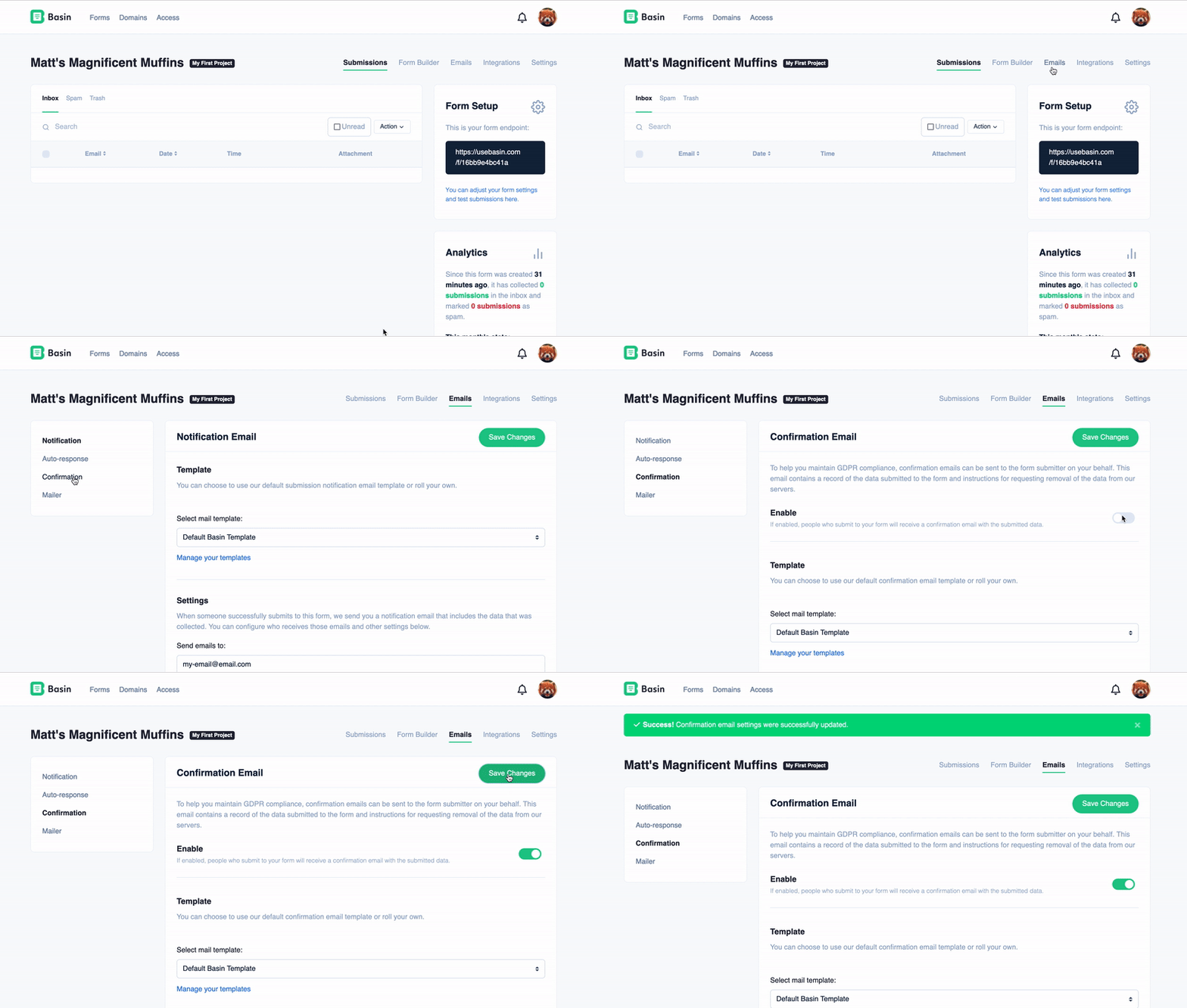
To access a form's confirmation email settings, navigate to Forms → Form → Emails, then select Confirmation.
Enable the setting to send a confirmation receipt for each eligible new submission.
Warning
Your form must have a field with name=email for Basin to find the email address to respond to.
Tip
You can customize sender details and the subject. Custom HTML templates are available on Pro and Agency plans.
Email Format
Basin provides the flexibility to send confirmation emails in HTML, plain text, or both formats simultaneously for a multi-format email experience.
To configure your email format preferences, go to the "Email Format Settings" section on the confirmation email settings page and select "HTML," "Plain Text," or both options.
Email Font
By default, Basin uses the Poppins font for all confirmation (GDPR) emails. On the Growth plan and above, you can change the base font used in our default confirmation template for each form.
To update the confirmation email font:
- Navigate to
Forms -> Form -> Emails, then open the Confirmation tab. - Scroll to the Email Font setting.
- Choose your preferred font (for example: Poppins, Arial, Georgia, Helvetica, Open Sans, Roboto, Times New Roman, or Verdana).
- Save your changes.
The selected font will be applied to the default confirmation template for that form only. Notification and autoresponse emails have their own independent font settings on their respective tabs.
Sending emails for spam submissions
By default, Basin does not send emails when submissions are marked as spam. However, if you set up and configure a custom mail server, you have the option to send emails for spam submissions as well.
Warning
Basin will never send emails for spam submissions when using the default mail server, including when emails fail to send from your custom mail server. Make sure your custom mail server is properly configured so that spam submissions can have emails sent.