Incomplete Submission Follow-Up
Follow up on incomplete submissions. Use Basin's incomplete submission follow-up feature to send a follow-up email to users who don't finish your form.
Paid Feature
This feature is only available on the Agency plan. Free, Starter, Growth, and Pro users will need to upgrade to use this feature.
How does incomplete submission follow-up work?
The incomplete submission follow-up feature works similarly to the autoresponse feature and allows you to send an email to users who don't finish your multi-step form, allowing you to connect with leads who only completed some steps.
Setup
Warning
Your form must have a field with name=email or name=email_address for Basin to find the email address to auto-respond to.
To access the incomplete submission follow-up feature, you'll need to have a multi-step form set up on your form, see the multi-step forms guide for more information.
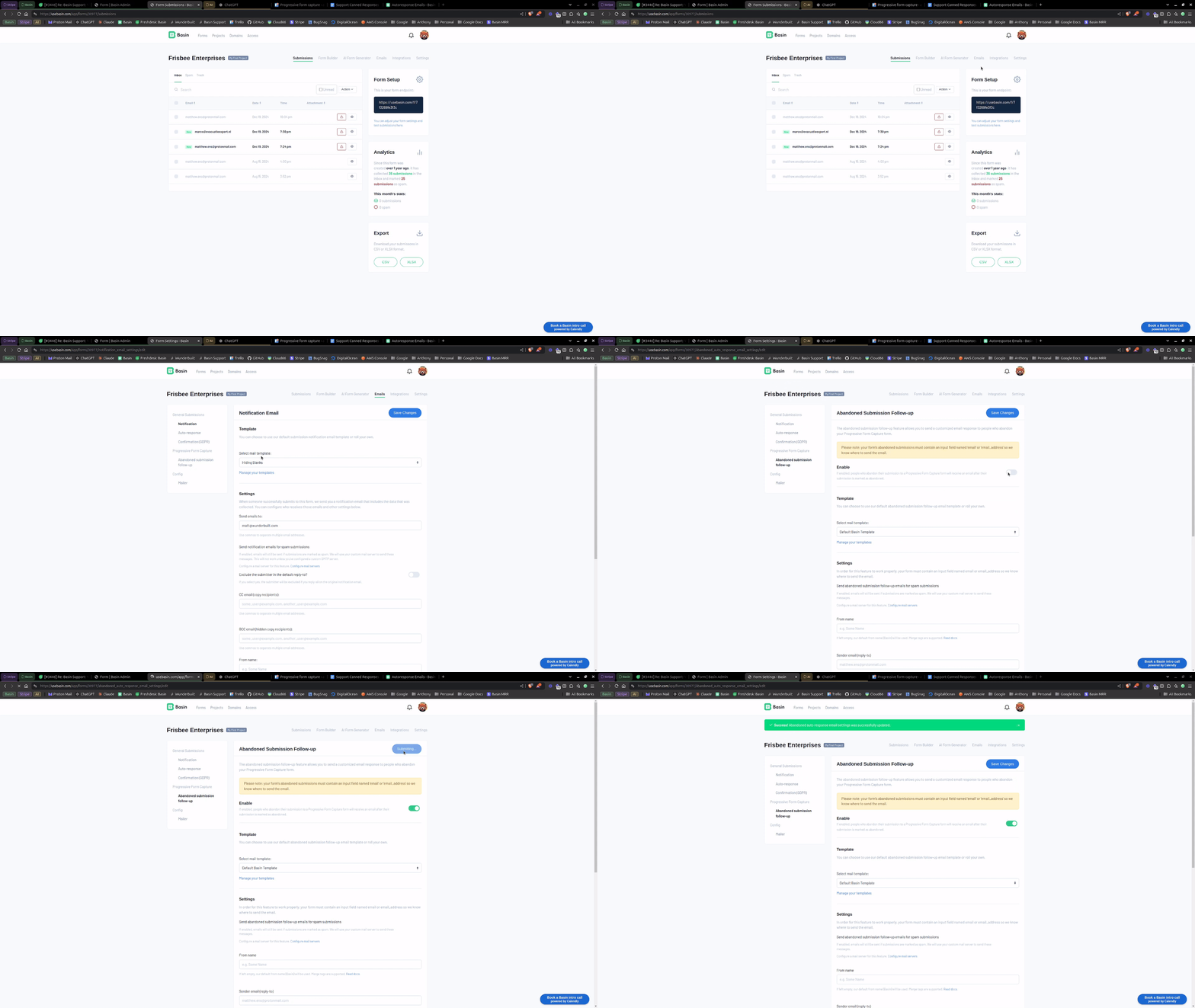
Once you have a multi-step form set up, you can access the incomplete submission follow-up feature by clicking the "Email" tab on your form and selecting the "Incomplete Submission Follow-Up" option.
To enable incomplete submission follow-up emails, and start sending an email to every new submission to this form, simply toggle the "Enable" switch and you're good to go.
Email Format
Basin provides the flexibility to send incomplete submission follow-up emails in HTML, plain text, or both formats simultaneously for a multi-format email experience.
To configure your email format preferences, go to the "Email Format Settings" section on the incomplete submission follow-up email settings page and select "HTML," "Plain Text," or both options.
Sending emails for spam submissions
By default, Basin does not send emails when submissions are marked as spam. However, if you set up and configure a custom mail server, you have the option to send emails for spam submissions as well.
Warning
Basin will never send emails for spam submissions when using the default mail server, including when emails fail to send from your custom mail server. Make sure your custom mail server is properly configured so that spam submissions can have emails sent.