Notification Emails
Automatically receive simple, nicely formatted emails with complete submission details sent directly to your inbox instantly.
Setup
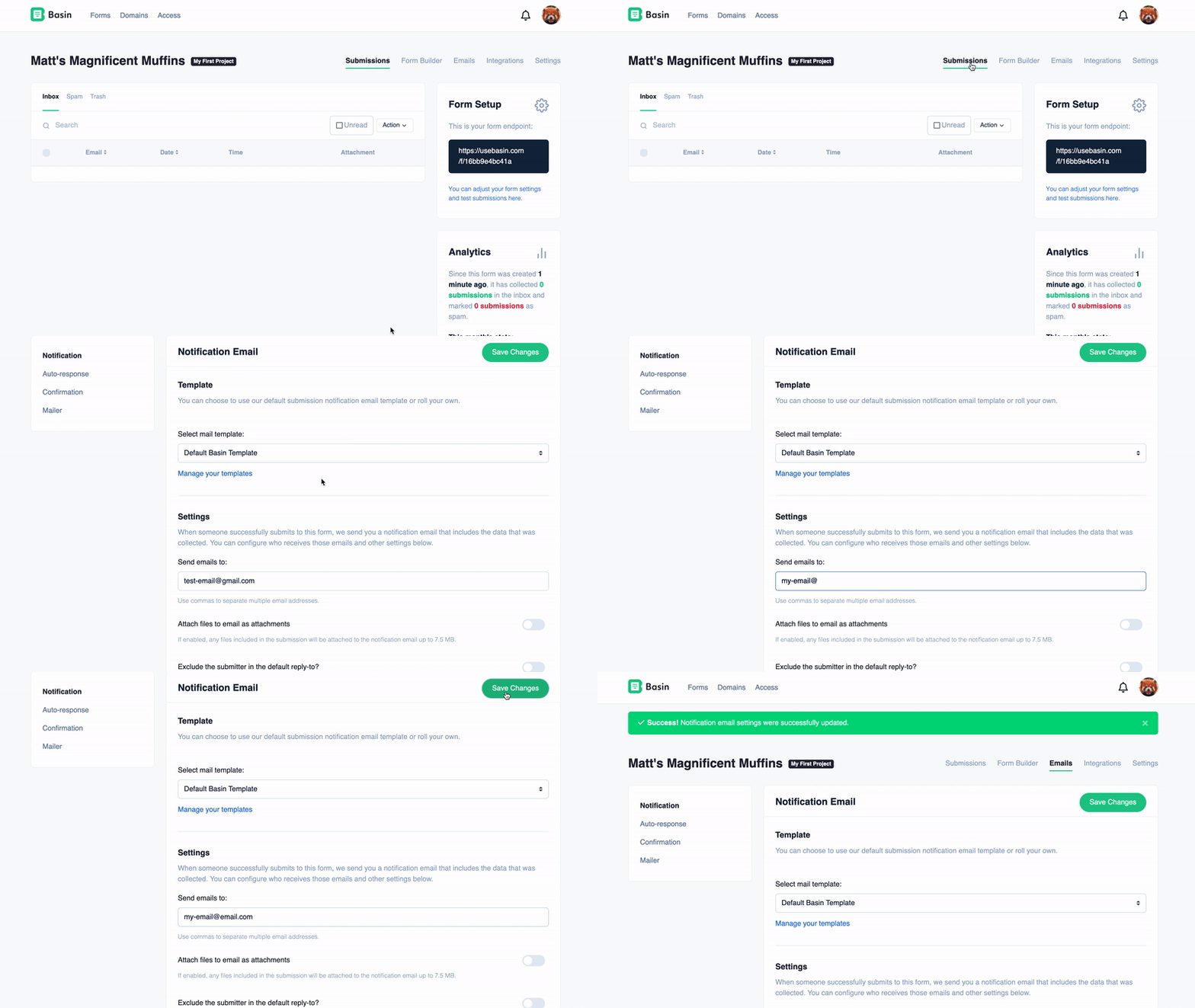
To access a form's notification email settings, navigate to Forms -> Form -> Emails.
Enabling Notification Emails
To enable notification emails and start receiving an email after every new submission to this form:
- Enter an email address in the "Send emails to:" field.
- Optionally, add email addresses in the "CC Email (Copy Recipients):" and "BCC Email (Hidden Copy Recipients):" fields to send carbon copies or blind carbon copies, respectively.
- Save the changes.
Disabling Notification Emails
To disable notification emails:
- Simply remove the email address from the "Send emails to:" field.
- Also clear any addresses in the CC and BCC fields if used.
- Save the changes.
Tip
Additional configuration options are available on this page, such as choosing a custom template (available on the Premium plan and above), sending emails to CC and BCC recipients, and more!
Email Format
Basin provides the flexibility to send notification emails in HTML, plain text, or both formats simultaneously for a multi-format email experience.
To configure your email format preferences, go to the "Email Format Settings" section on the notification email settings page and select "HTML," "Plain Text," or both options.
Email Font
By default, Basin uses the Poppins font for all notification emails. On the Standard plan and above, you can change the base font used in our default notification template for each form.
To update the notification email font:
- Navigate to
Forms -> Form -> Emails, then open the Notification tab. - Scroll to the Email Font setting.
- Choose your preferred font (for example: Poppins, Arial, Georgia, Helvetica, Open Sans, Roboto, Times New Roman, or Verdana).
- Save your changes.
The selected font will be applied to the default notification template for that form only. Autoresponse and confirmation emails have their own independent font settings on their respective tabs.
Email Language
Standard Plan Feature
This feature is available on the Standard plan and above.
Basin supports 15 languages for notification email text, allowing you to send emails in the language that best suits your team or audience. This feature localizes the standard email text elements including:
- Greeting (e.g., "Hello there!" or "¡Hola!")
- "You just received a new submission" message
- Section labels (Detected URL Data, Lead Agent, Location Info, etc.)
- "View in your dashboard" button text
- Timestamp label
Supported Languages:
- English (en) - Default
- Deutsch (de) - German
- Español (es) - Spanish
- Français (fr) - French
- Italiano (it) - Italian
- Português (pt) - Portuguese
- Nederlands (nl) - Dutch
- Svenska (sv) - Swedish
- Norsk (no) - Norwegian
- Dansk (da) - Danish
- Suomi (fi) - Finnish
- 日本語 (ja) - Japanese
- 한국어 (ko) - Korean
- 中文 (zh-CN) - Chinese Simplified
- 繁體中文 (zh-TW) - Chinese Traditional
To change the notification email language:
- Navigate to
Forms -> Form -> Emails, then open the Notification tab. - Scroll to the Language setting.
- Select your preferred language from the dropdown menu.
- Save your changes.
The selected language will be applied to all notification emails sent for that specific form. Form submission data (the actual field names and values submitted by users) will always appear exactly as submitted, regardless of the language setting.
Custom Templates
If you're using a custom email template, you'll need to manually update your template to include the appropriate translations. The language setting only affects the default Basin notification template.
Sending emails for spam submissions
By default, Basin does not send emails when submissions are marked as spam. However, if you set up and configure a custom mail server, you have the option to send emails for spam submissions as well.
Warning
Basin will never send emails for spam submissions when using the default mail server, including when emails fail to send from your custom mail server. Make sure your custom mail server is properly configured so that spam submissions can have emails sent.