Confirmation (GDPR) Emails
Maintain GDPR compliance and send instructions to your submitters on how to request removal of their data from our servers with a confirmation email.
Setup
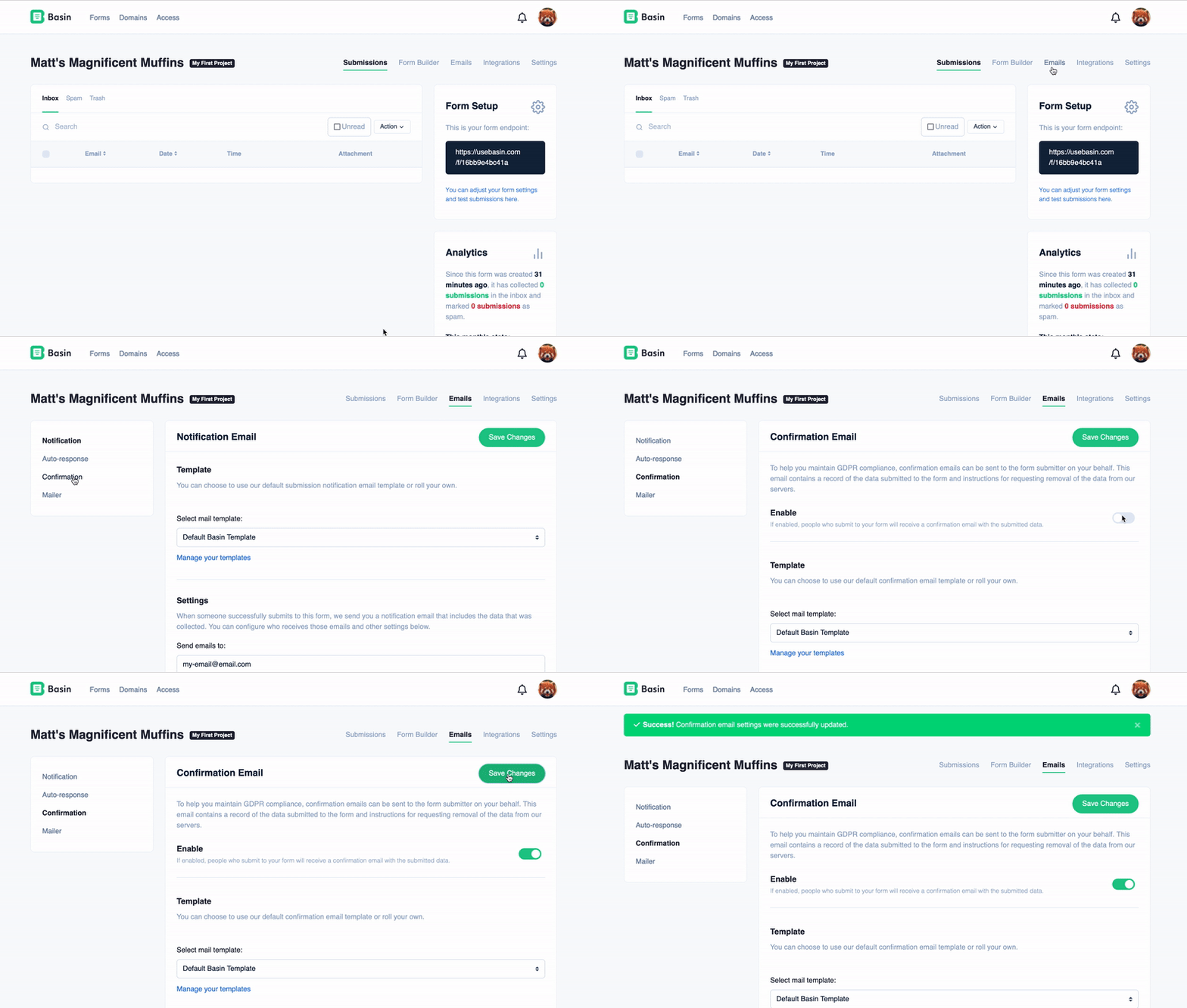
To access a form's confirmation email settings navigate to Forms -> Form -> Emails, then click on the 'Confirmation' tab on the sidebar.
To enable confirmation emails, and start sending an confirmation response to every new submission to this form, simply toggle the "Enable" switch and you're good to go.
Warning
Your form must have a field with name=email for Basin to find the email address to respond to.
Tip
Additional configuration options are available on this page such as customizing the sender details and subject of your email or choosing a completely custom template you've built! (Premium plan and above)
Email Format
Basin provides the flexibility to send confirmation emails in HTML, plain text, or both formats simultaneously for a multi-format email experience.
To configure your email format preferences, go to the "Email Format Settings" section on the confirmation email settings page and select "HTML," "Plain Text," or both options.
Email Font
By default, Basin uses the Poppins font for all confirmation (GDPR) emails. On the Standard plan and above, you can change the base font used in our default confirmation template for each form.
To update the confirmation email font:
- Navigate to
Forms -> Form -> Emails, then open the Confirmation tab. - Scroll to the Email Font setting.
- Choose your preferred font (for example: Poppins, Arial, Georgia, Helvetica, Open Sans, Roboto, Times New Roman, or Verdana).
- Save your changes.
The selected font will be applied to the default confirmation template for that form only. Notification and autoresponse emails have their own independent font settings on their respective tabs.
Sending emails for spam submissions
By default, Basin does not send emails when submissions are marked as spam. However, if you set up and configure a custom mail server, you have the option to send emails for spam submissions as well.
Warning
Basin will never send emails for spam submissions when using the default mail server, including when emails fail to send from your custom mail server. Make sure your custom mail server is properly configured so that spam submissions can have emails sent.